My work view, Koh Lanta, Thailand
I have lived in a few countries and traveled to dozens of others. The idea of living anywhere has always had some appeal to me. I have traveled to a lot of places where I thought, I could live here.
There is this fantasy of having the freedom to live and work from anywhere. Coupled with the technology to communicate nearly instantly, a new trend has emerged: the digital nomad. A location independent worker.
I decided to give the digital nomad lifestyle a trial run this year. I bought a round trip ticket with 3 months of time set aside to travel and very little in the way of plans.
Planning
I started thinking about traveling around September - October 2013. I knew that I wanted to skip most the of frigid winter in Washington, DC (which coincidentally, experienced the worst winter weather in my lifetime). However, I knew that I wanted to spend Christmas with my family and New Years with friends. So, leaving in January made the most sense.
The next question was "Where did I I want to go?" I had been to Thailand on a number of occasions and loved spending time there. I also have family that lives there, which makes going without any plans much easier. Thailand is pretty cheap as far as cost of living goes. There are also gorgeous beaches. The internet is ok and picking up a sim card and 3G plan is quite easy. I also really wanted to do a lot of scuba diving and there is some great diving available there.
I also didn't want to travel alone, so I was planning to travel with a friend (although that part of the trip fell through). I ended up traveling alone and meeting a few new friends during my travels.

Diving Site, Ko Haa Lagoon, Thailand
Preparations
Traveling on a budget is definitely possible in Thailand. The flight was the most expensive part.
I wanted to build up a good cash reserve before leaving. I had no idea what all I was going to get into on the journey, where I would to end up traveling or if I would earn any money along the way.
As soon as I decided that I wanted to travel, I started trying to find any sort of contracting work available. I thought that finding clients and work could also prove to be potentially helpful when traveling if I did want to earn money while I was abroad. Luckily, I also have a startup that earns some money, but I can't simply earn money every day by putting hours into it. Or, at least the correlation isn't as direct and immediate as contracting.
I saved up enough money so that I could live comfortably abroad for at least three months (in reality it was probably closer to a year).
I eventually bought my ticket on January 2 to leave on January 21 and shared my trip on facebook. Right away, a friend of mine told me that he was going to be in Japan at the end of my trip, so I changed my ticket. That turned out to be fortuitous because I was flying through Japan to Bangkok anyways to have a few extra days in Japan on my way back to the US.

View from Tokyo Skytree of Tokyo Tower with Mount Fuji in the background.
Home Base
The idea of a home base while traveling abroad is quite appealing. I was in the very fortunate position that I have family living in Bangkok that I could stay with. My initial thought was to travel around to different parts of Thailand. Having a home base meant I could leave a few things (like winter clothes) at my family's house. I also had a standing invitation to stay there. It certainly took away a lot of the stress about traveling to places I knew nothing about. If anything went wrong, I could simply return back to my Thai home.
Actual Trip
Washington, DC → Tokyo, Japan
Tokyo → Bangkok, Thailand
Bangkok → Koh Lanta
Krabi → Bangkok
Bangkok → Koh Samui
Koh Samui → Bangkok
Bangkok → Hong Kong (30 days were up on my visa)
Hong Kong → Macao → Hong Kong
Hong Kong → Bangkok
Bangkok → Koh Phi Phi
Koh Phi Phi → Koh Lanta
Koh Lanta → Bangkok
Bangkok → Tokyo
Tokyo → Washington, DC
Working Abroad
My primary concern was always having a reliable internet connection. All the business that I do is on my laptop. So, I spent a lot of time searching Agoda's reviews to find places which specifically mentioned good internet. Bungalow separate from the main building with no wifi? Sorry, that just won't do. Every room I stayed in had pretty good internet. There was a power outage in Koh Lanta for one night which left me using 3G on my phone, but other than that I had fairly reliable internet. Maybe I got lucky? Maybe the hours and hours of reading reviews paid off. Hard to tell. I always booked only a night or two to start off with so that I could have a place to put my stuff down. If I didn't like something, I could always switch after a day.
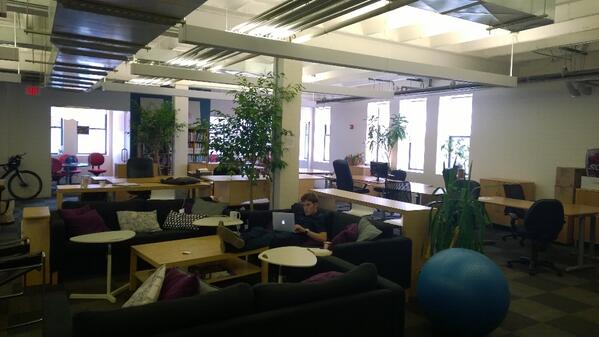
The biggest issue I ran into was routine and schedule. At home, I work from a coworking space in Washington, DC (Affinity Lab). I wake up, have a morning routine, go into the office and work. I come home and generally keep a pretty regular 5 days a week schedule for work.
Traveling took that routine away from me. I was left with 24 hours of unstructured time per day. I didn't have an office, friends to see or commitments to keep. It was chaos.
I had a couple project deadlines while traveling. None of them were particularly large projects and it normally meant setting aside a day or two and just working. That was the easiest part of working.
The hardest part of working was my own work. I worked on a big article about benchmarking and comparing managed WordPress hosting companies.
That's about the only noteworthy thing I accomplished for my own business while traveling. I initially set out thinking that this would be the perfect opportunity to work on finishing up a lot of side projects which never got finished or polished before. These projects include Domainling, a domain name search engine and suggestion tool. FMK, a Facebook game that works but is horribly designed and needs a lot of polish. I also wanted to finish a gambling odds calculator for scratch offs in Washington, DC.
I didn't so much as open the code for any of these projects. Oops.
I had no routine, I spent a lot of time outside (and underwater). I would often come home very tired and never really planned time to work. So, things kept getting pushed back. Eventually, time ran out and I never made any progress on these projects.
The most productive time I had was probably in Hong Kong when I stayed with my friend. He was working a normalish schedule which pushed me towards his work routine.
What I spent most of my time doing, Diving, Hin Daeng, Thailand
Outcome
I spent three months in Asia and didn't lose money. My napkin math puts me at about even for the trip. A little consulting work went a long way in Thailand.
I met a handful of friends who either came to visit me or happened to be traveling in the same area and we met up. I made a few new (and temporary?) friends whom I probably will never see again. I don't think I created any meaningful relationships with new people.
I earned my advanced open water certification for diving and had a lot of awesome dives.
I started to miss good friends with whom I forged deeper friendships. I also missed the mundane social activities and structure of my life back home in DC. While traveling, I met a lot of people but I feel like I had the same conversation hundreds of times with new faces saying the words.
I realized the dream of being a digital nomad was better than the reality of it. For me, at least in this incarnation of it.

Friendly Manta Ray, Hin Daeng, Thailand
What I would do differently
Just because I started to miss home and wasn't as productive as I had hoped doesn't mean that I've given up on the idea. It just means I didn't get it right. Yet.
I want to do a trip similar to this one again. The biggest change I hope will be not going alone. I have a handful of good friends who all work in careers which would allow them to work remotely. Convincing a few of them to join me would be a step in the right direction.
I also think staying longer in a single location will allow me to get into a better routine. When moving around a lot, I get this urge to see and do everything before I leave. That pushes back other priorities, like working. I also think friends who need to do work can help each other be mutually accountable.
TL;DR:
I chased a dream and it wasn't as good as I had hoped. But I learned a lot about myself and will hopefully adjust and try again.

View from View Point Resort, Koh Phi Phi